One recipe, one roster file, one run — a real, independently-seeded dataset per row of a class
roster, with no student's real name, id, or any other roster column ever entering the seed,
the output directory names, or provenance.json.
The roster file#
A plain CSV with a required id column; every other column is carried through into the cohort
manifest for your own reference and is never read or interpreted:
id,grade
alice,10
bob,11
cara,10
id becomes a real subdirectory name one level below your chosen output directory, so it is
validated strictly: no blank id, no duplicate id, and no id containing a path separator or
./.. — a stray / in a roster file would otherwise be a path-traversal bug, not just a
cosmetic one.
Seeding#
Row i (0-indexed, in file order) generates with seed = recipe.seed + i. Nothing about a
roster id enters the seed — the same roster run twice with the rows in a different order
produces different, but still fully reproducible-from-the-recipe-and-roster-alone, datasets.
Running it#
Click Cohort, browse to a roster file and a destination folder, pick a format, and click Generate:
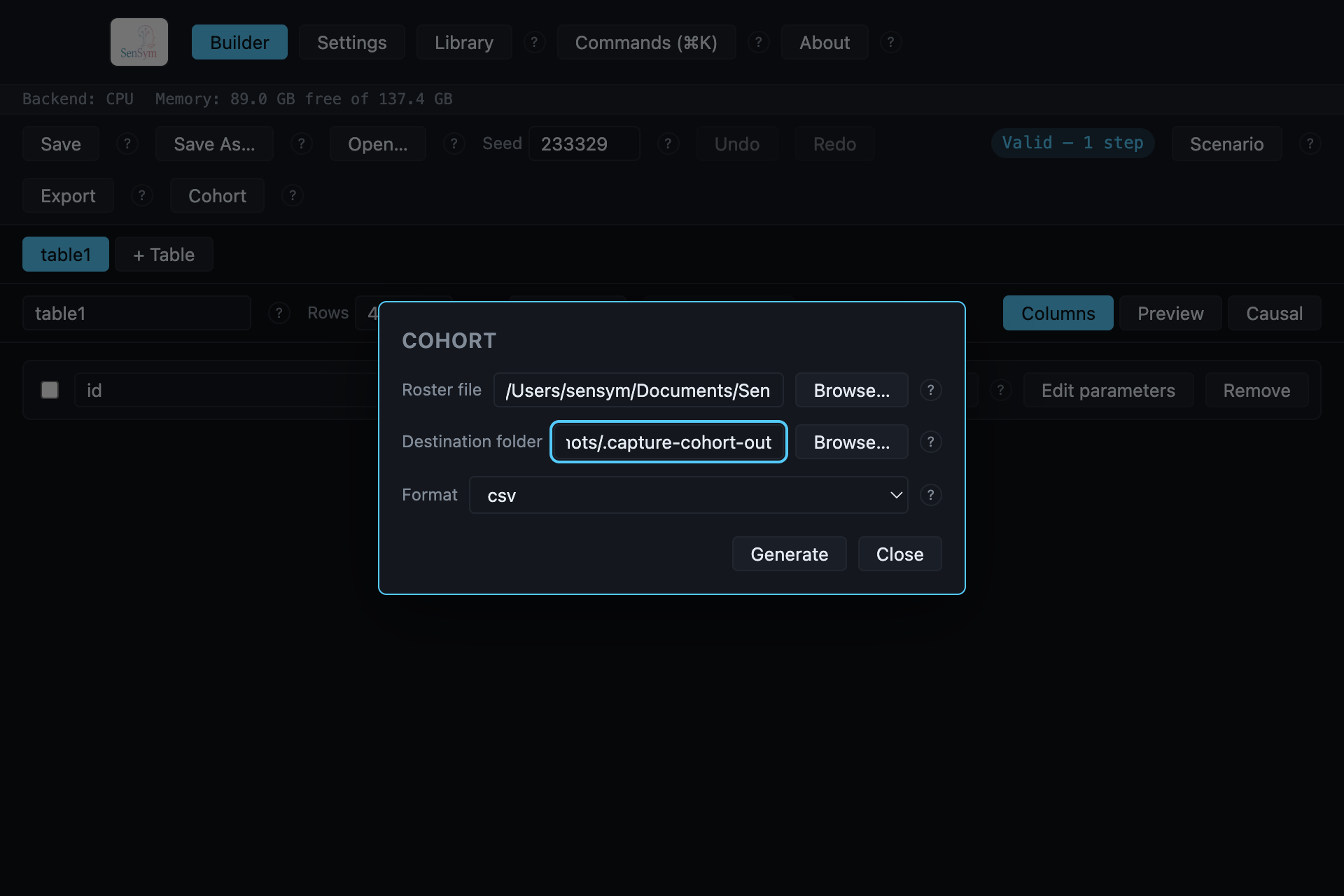
Each member is written to <destination>/<roster id>/, using the same per-table export logic a
normal export uses — the same formats, the same optional data dictionary and provenance record.
Progress is reported per completed member, not per row, since a cohort run's own unit of work is
a member.
The manifest#
On completion, cohort_manifest.json is written at the top of the destination folder: every
roster id, the seed it ran with, and its own output paths — an index on top of what each
member's own provenance.json (which already carries its recipe_hash and seed) records
independently. Cancelling mid-run leaves this manifest listing only the members that actually
completed, not the ones still in flight.
From the command line#
The same generation this dialog drives is also reachable without the desktop app — see the
CLI reference's sensym generate command for a single recipe, or write a small script
against sensym_df.io.roster.read_roster and sensym_df.run.generate directly for the same
per-member loop this dialog runs.