On this page
Seven panels, reached from Settings in the top nav. This page tours the other six; Scenario Mode already covers AI models in detail, since that panel is really about the three answer tiers, not a general settings surface.
Generation defaults#
What a brand-new recipe starts with, and how CSV exports are written by default:
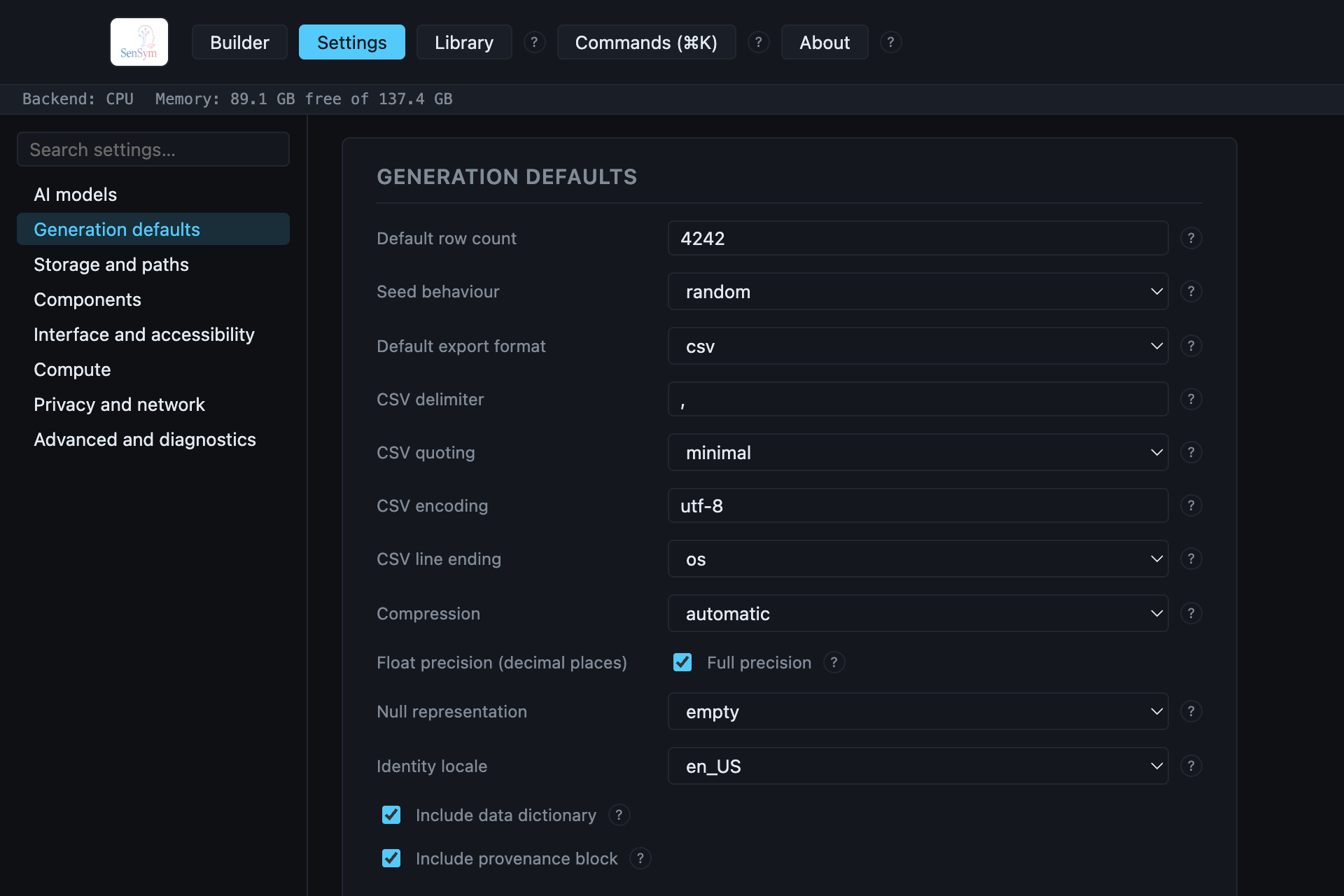
Default row count and Seed behaviour (random or a fixed seed you set) apply the moment
a new recipe is created. Everything below Default export format only matters for CSV/TSV —
delimiter, quoting style, encoding, and line ending are all real writer options, not cosmetic.
Compression, Float precision, and Null representation are export-time overrides
layered on top of whatever a format's own writer already does correctly by default — see each
control's own ? for exactly what it changes. Include data dictionary and Include
provenance block are on by default; turning either off means an export writes only the data
file itself, nothing beside it.
Storage and paths#
Four real filesystem locations, each with a Browse… picker:
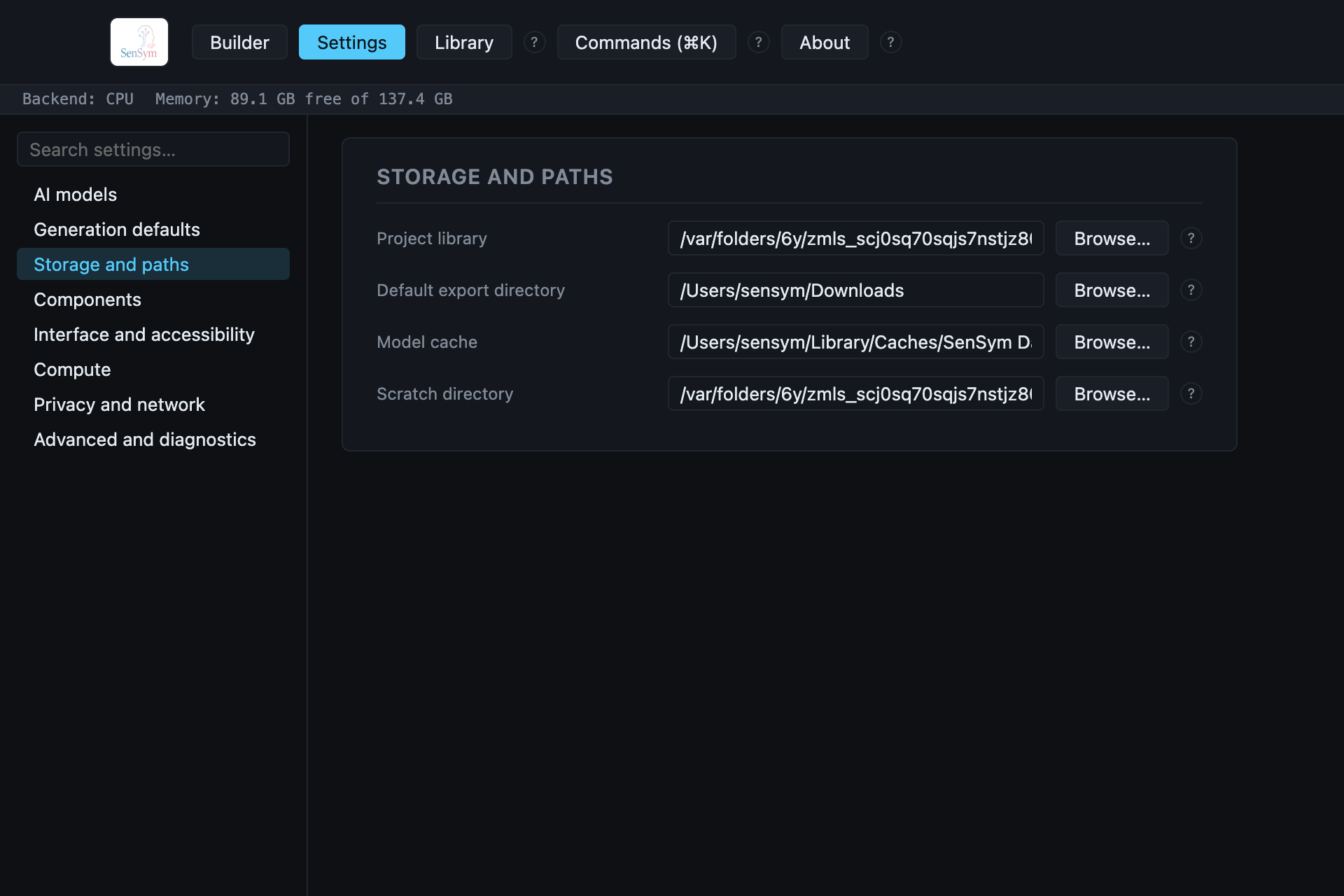
Project library is what Recipe library actually lists. Default export directory pre-fills the Export dialog's destination field. Model cache is where downloaded AI models (local LLMs, the Speech runtime, GPU acceleration) are stored. Scratch directory is where large exports (like the ZIP bundle format) stage files temporarily before writing the final result.
Components#
On-demand installers for optional runtime pieces — nothing here is bundled into the base install:
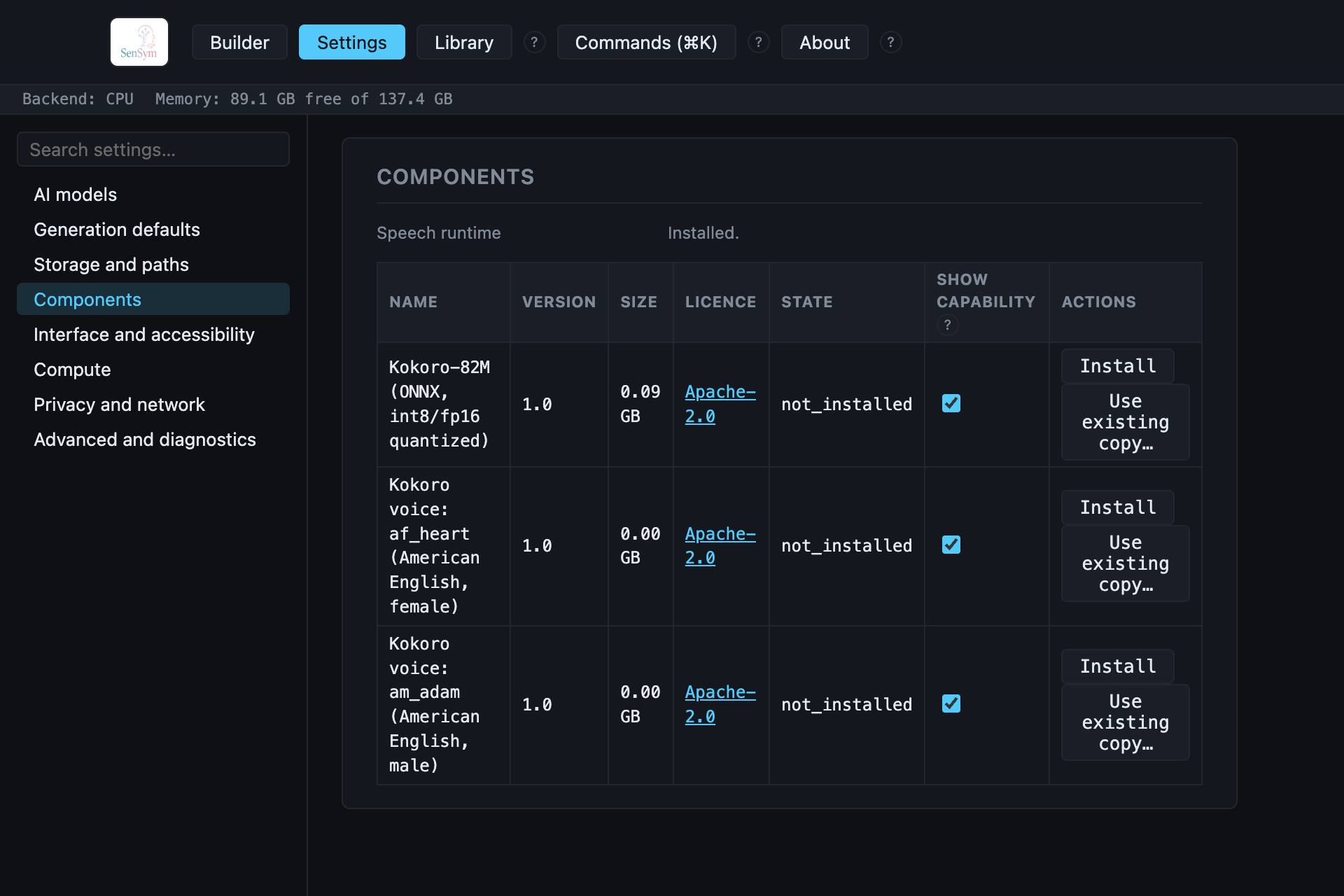
Each row is a real, separately-downloadable model with its own size and licence — install only what you actually use. The Speech runtime section (shown here already installed) is what Speech narration needs; GPU acceleration has its own entry in the Compute panel below rather than here, since it's a compute backend, not a model.
Interface and accessibility#
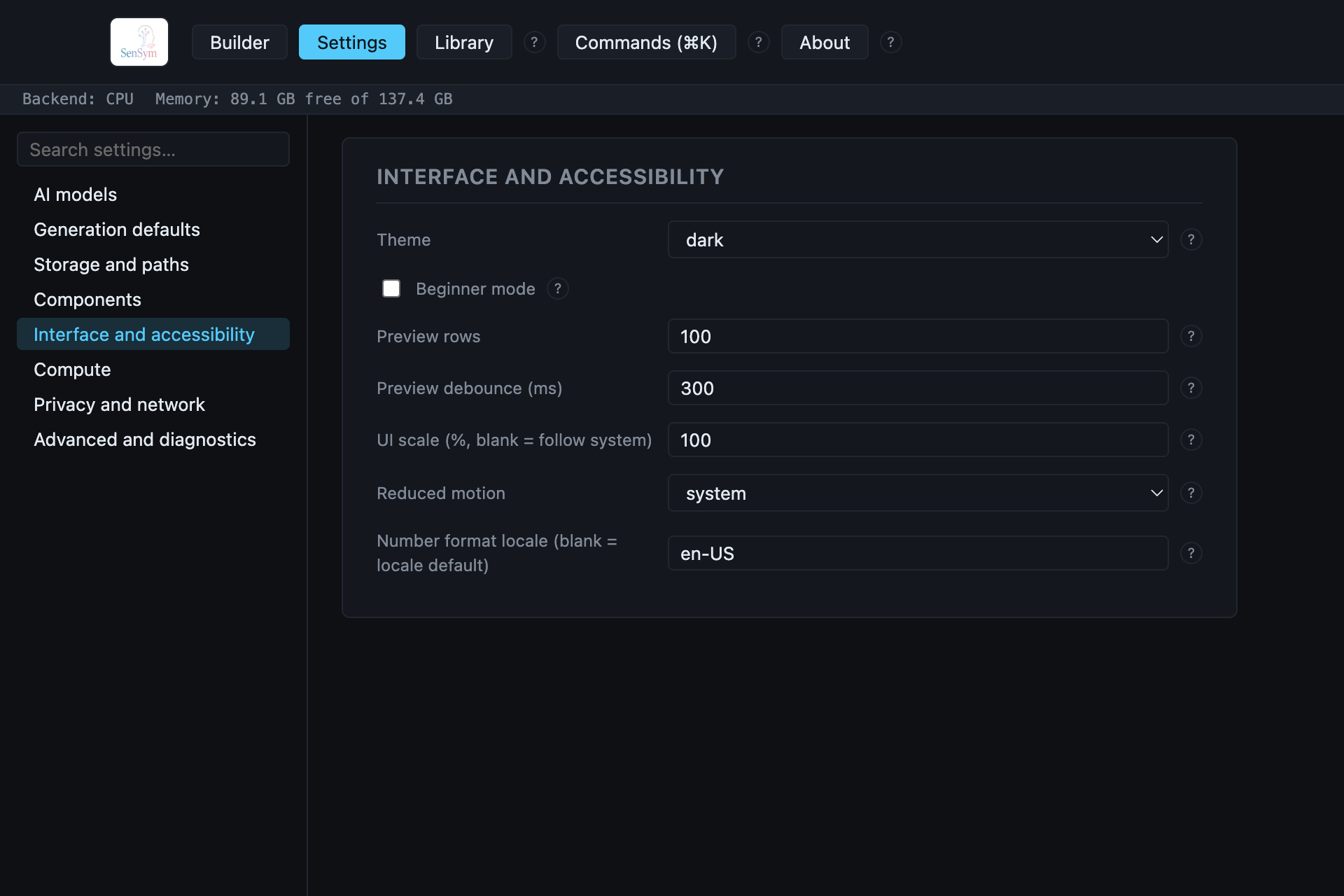
Theme follows macOS by default; set it explicitly to dark or light to override.
Beginner mode simplifies the Builder's own controls for a first-time user. Preview rows
and Preview debounce control how much of a generated table the Preview tab renders and how
long it waits after an edit before regenerating it. UI scale and Reduced motion are
real accessibility controls, not just cosmetic. Number format locale governs how numbers
render in the app's own UI (not in exported data — that's Identity locale and per-column
settings under Generation defaults).
Compute#
Real, honest hardware detection — never a promise about hardware the app hasn't actually checked:
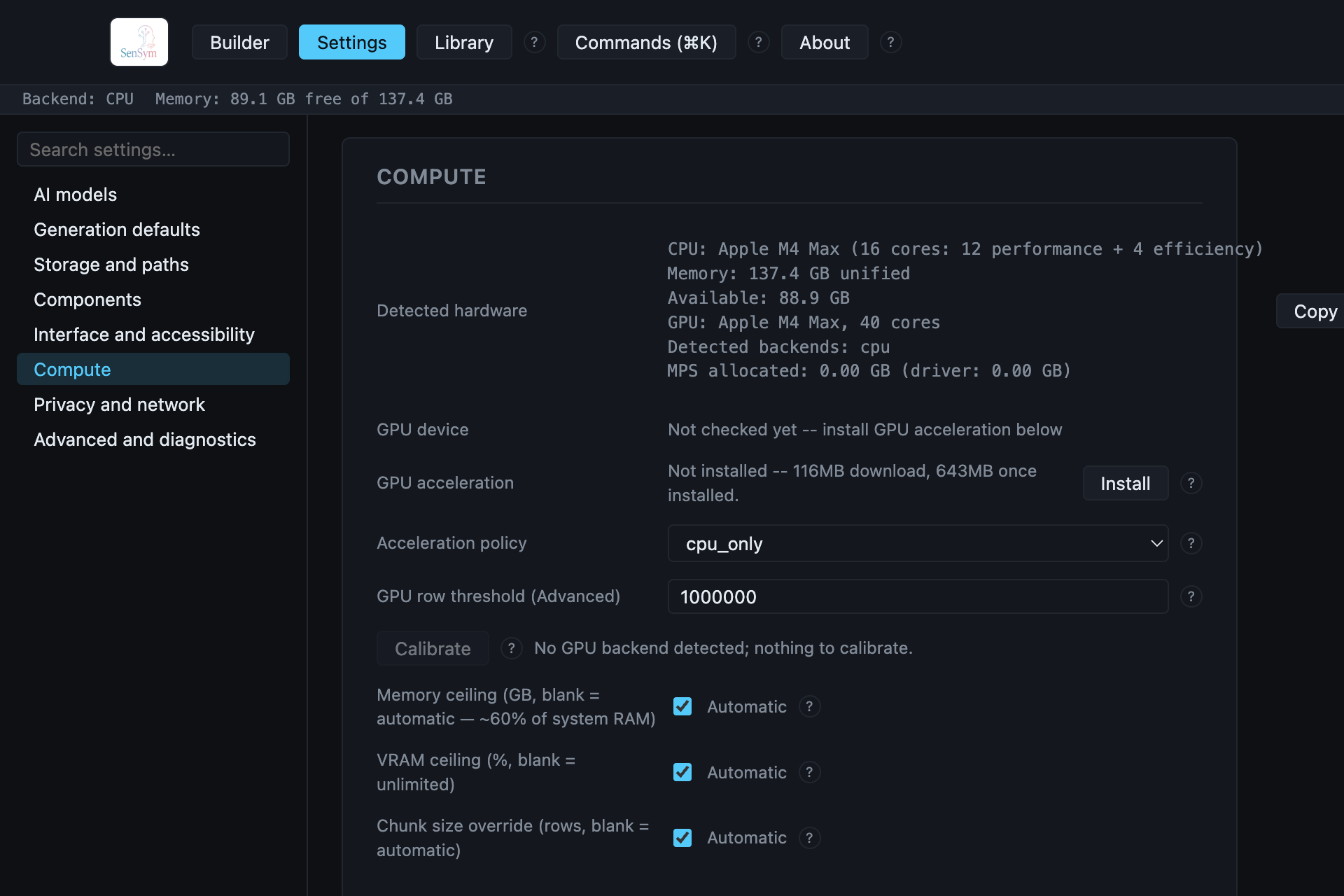
Detected hardware is a live readout of this machine's own CPU, memory, and GPU — not a static spec sheet. GPU acceleration is a real, on-demand install (like Speech in Components); until it's installed, GPU device honestly reads "Not checked yet" rather than claiming no GPU exists. Acceleration policy decides whether generation prefers CPU or GPU once a GPU backend is available. Memory ceiling, VRAM ceiling, and Chunk size override default to automatic — real, measured against this machine — and only need touching if you want to force a specific limit (or force the streamed/chunked export path, e.g. to test cancellation behavior on a small dataset).
Privacy and network#
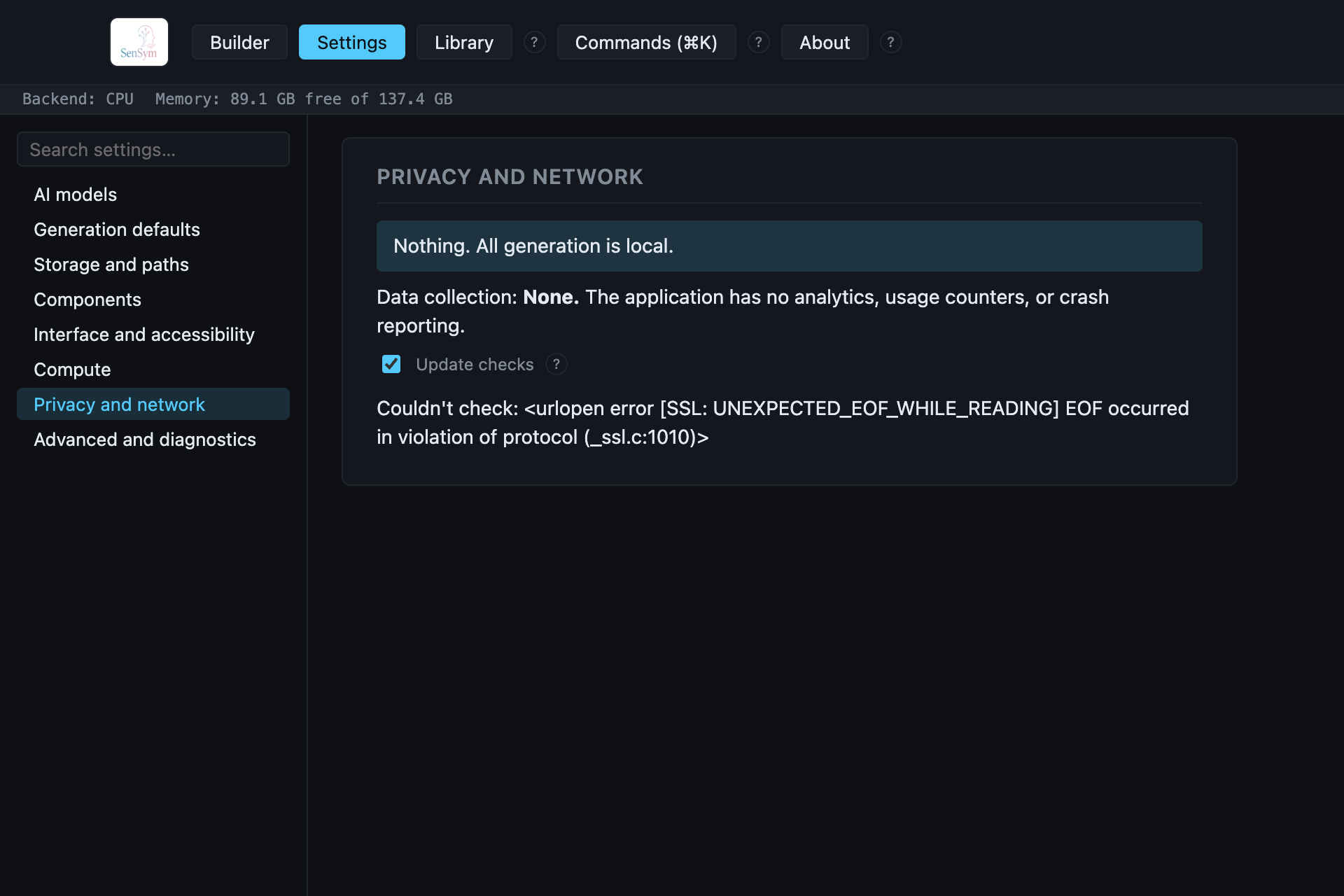
The whole panel, verbatim: nothing leaves this machine during generation, regardless of what else is configured elsewhere. Data collection is stated plainly as None — no analytics, no usage counters, no crash reporting, ever. The one real, optional exception: Update checks, off by default — enabling it makes exactly one outbound request (checking the current published version), and nothing else. Enabling the cloud AI tier is a separate, explicit opt-in covered in Scenario Mode, not controlled from this panel.
Advanced and diagnostics#
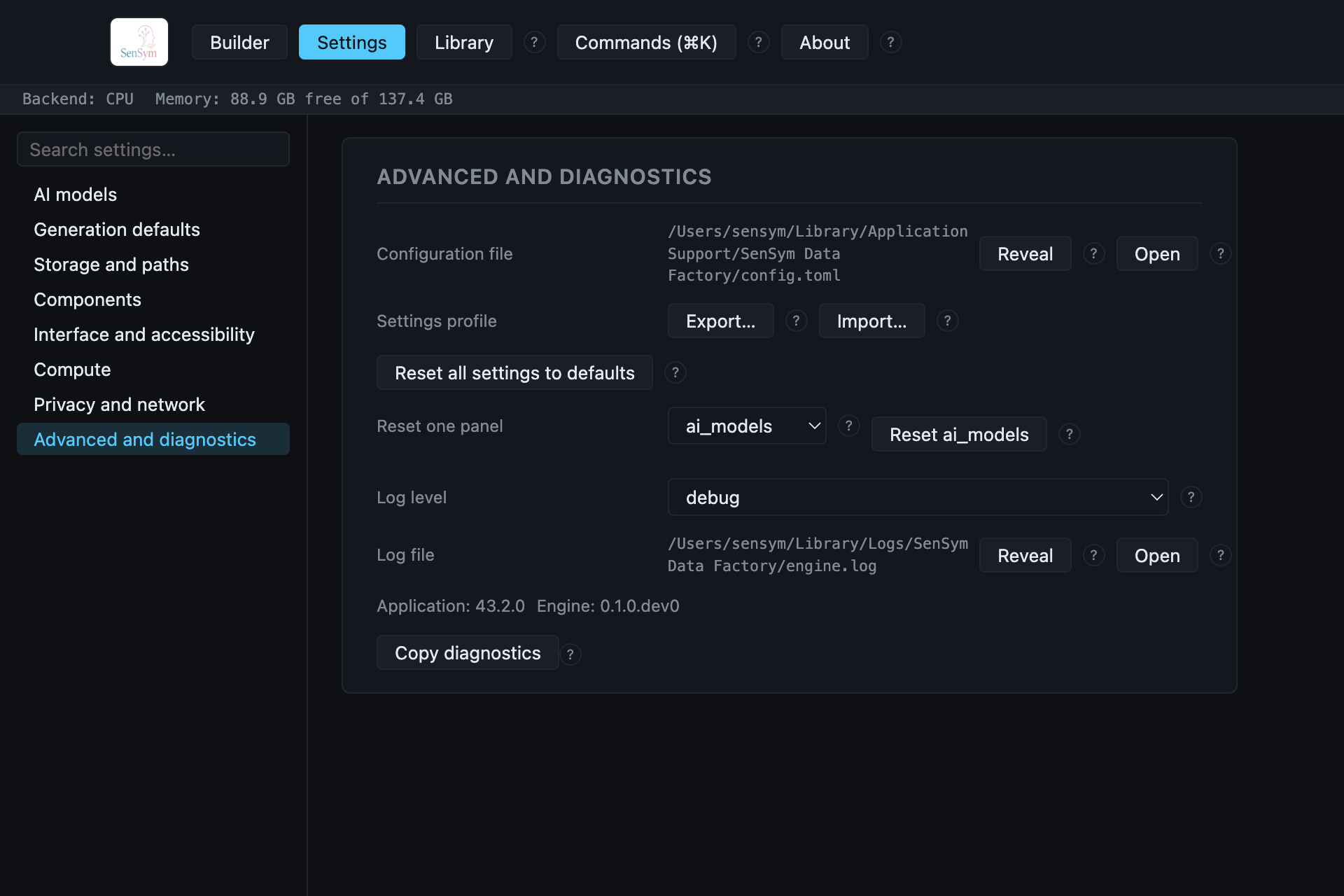
Configuration file and Log file each have a real Reveal (shows the file in Finder)
and Open button — useful if something needs real troubleshooting. Settings profile
exports your whole configuration to a file you can back up or hand to someone else, and imports
one back. Reset all settings and Reset one panel both write real defaults back to
config.toml — there's no undo beyond re-importing a saved profile. Copy diagnostics
assembles the version numbers and detected-hardware facts already shown here into one block you
can paste into a bug report.