A live, plain read of the folder you've told Settings to use as your project library (Settings → Storage and paths → Project library) — not a database, not a separate index. Deleting the folder deletes the library, and nothing else remembers it existed; every recipe file you save into that folder shows up here, and nowhere else has to be told about it.
What each row shows#
Click Library in the top nav. Each real .json recipe file in the folder becomes one row —
its name, seed, table/column/row counts, and when it was last modified, read straight from the
file, not cached — next to four real actions:
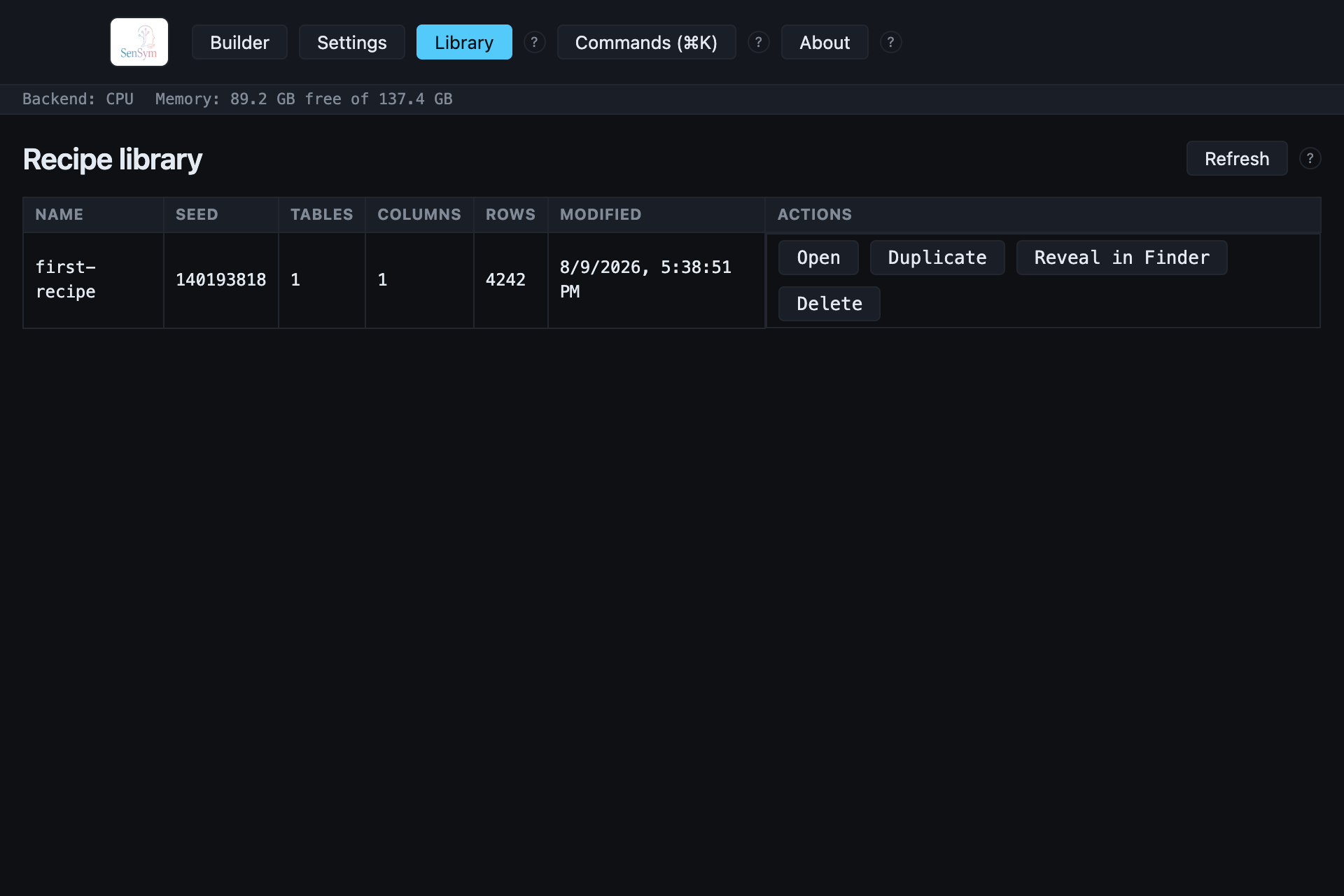
A file in the folder that isn't a valid recipe (the wrong JSON shape, or not JSON at all) is never silently dropped — it's counted and reported: "N other files in this folder aren't a recipe, skipped."
Actions#
- Open replaces the recipe currently in the Builder. If you have unsaved changes, a confirm dialog appears first — the same guard every other destructive replace in this app uses.
- Duplicate writes a real second file beside the original (
name-copy.json), so you can branch a recipe without touching the one you started from. - Reveal in Finder jumps straight to the file, for anything this screen doesn't do yet (an editor, version control, sharing it directly).
- Delete moves the file to the Trash, not a permanent unlink — recoverable exactly like deleting it from Finder yourself.
What this deliberately doesn't do#
The library never associates a recipe file with any export you've since run from it — a saved
recipe carries no record of its own generation history. If you want that, every real
export writes its own provenance.json beside the data it produced; the
library is a view over recipes, not over datasets.