speech.utterance and speech.speaker_variant (Appendix C.8) read a text column aloud into
real WAV files — real neural text-to-speech, not a recorded sample or a synthesiser standing in
for one. Both run entirely on this machine: no account, no key, no audio ever leaves it.
Installing the runtime#
The model weights (Settings → Components) are separate from the runtime itself — the actual
Python/ONNX code that does the synthesis, a real, on-demand install the first time a
speech.* column needs it, matching how the Compute panel's own GPU acceleration is offered as
an on-demand install rather than a bundled dependency:
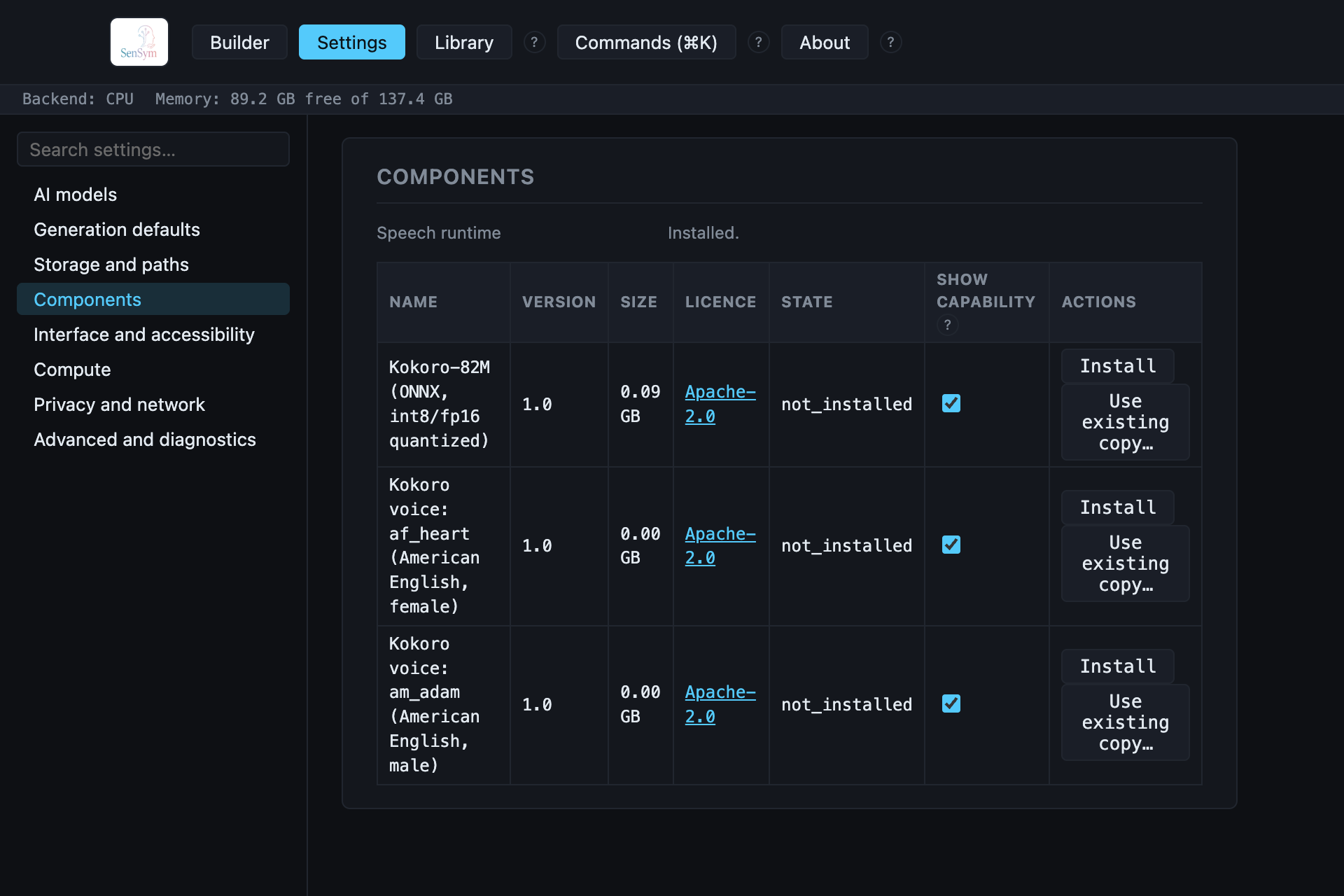
Until installed, this section instead shows a real, measured size — about 199MB to download,
about 967MB once installed — and an Install button. The install is a real, blocking pip
install (the same "well under a few minutes on any broadband connection" reasoning
compute.installTorch's own GPU-acceleration install already uses); once it finishes, every
speech.* column in the recipe can generate real audio without asking again.
Adding a narration column#
speech.utterance composes rather than generates from nothing — the same pattern name.full
and address.full use — its source parameter is a reference to the text column of the same
table it reads aloud:
{ "name": "phrase", "type": "text.sentences" },
{
  "name": "narration",
  "type": "speech.utterance",
  "params": { "source": { "table": "tickets", "column": "phrase" }, "voice": "af_heart" }
}
voice picks one of the two installed Kokoro voices (af_heart, an American English female
voice; am_adam, an American English male voice) — both listed, installed, and
checksum-verified in the same Components table every other model-backed capability uses.
speech.speaker_variant reads the same text a second time, drawing a voice (and a small speed
jitter standing in for prosody) per row instead of fixing one for the whole column — the pair
Appendix C.8 asks Speech's own capability for: the same content, spoken by someone else.
See samples/support-tickets-narrated.json for a
complete, real, verified recipe built exactly this way.
What lands on disk#
Exactly like every other media type in the catalog: the tabular file holds a relative path per
row, and the real WAV files sit beside it in media/<table>/<column>/:
out/
  tickets.csv
  media/
    tickets/
      narration/
        000000000.wav
        000000001.wav
        ...
A failed export (the runtime not installed, or any other real failure mid-run) leaves nothing
behind that could be mistaken for a complete one — the same guarantee every export in this
product makes, checked directly against a real failed speech.utterance run before being
trusted.